



designers have Figma.
developers have nothing.
stele keeps the real markup and styles of the UI you save, and your own design system, where your coding agent can read them.
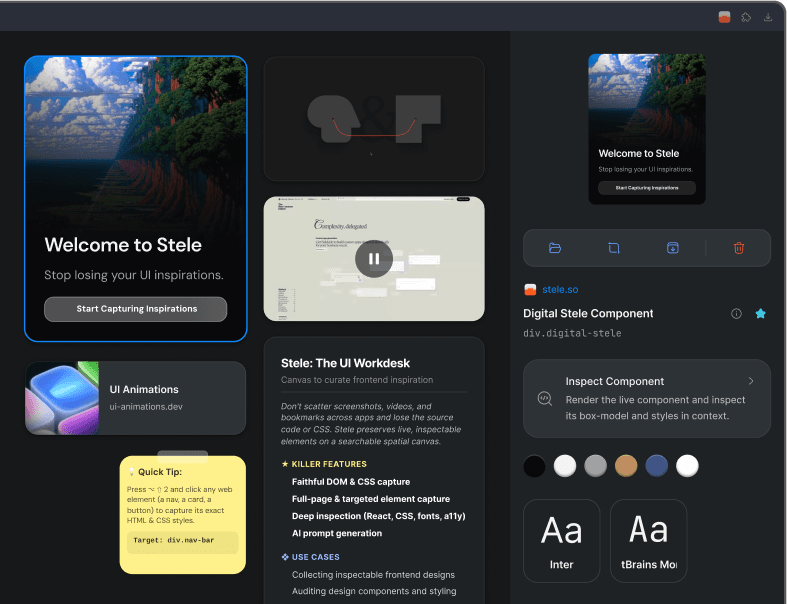
your agent has never seen
the interface you want
you describe it, or paste a screenshot, and it guesses the spacing, the type and the states. what ships is close, and you close the rest by hand.
stele keeps the real thing,
and puts it where your agent can read it.
keep the real thing, not a picture of it
the extension keeps elements with their markup and styles, full pages and regions, without breaking your flow.
save anything that inspires you
elements, screenshots, bookmarks, videos, code and notes, all as first-class blocks, stacked, grouped or filed.
everything comes with the screenshot
a capture is not a picture. it is the markup, the styles, the assets and the tokens, kept together.
Design Tokens
See the exact fonts, colors, and shadows a capture uses, read straight from its CSS.
WCAG Accessibility
Audit a capture’s markup for contrast, alt text, tap targets and semantic structure, from what it actually renders.
AI Auto-Tagging
AI automatically categorizes every component. Search for 'dark mode' or 'pricing' to find what you need.
Instant Export
Copy a component to Figma, as React and Tailwind, or as a prompt for your coding agent.
Asset Capture
Save SVGs, images and web fonts intact. Say goodbye to broken vectors.
Semantic Search
Find anything in your workspace instantly. Search for 'login modal' or 'blue button' and jump straight to the right component.
Multiple Views
Organize your folders as a square grid, an icon grid, a masonry moodboard, or an infinite canvas. Section any of them by day.
MCP Protocol
Instantly connect to Cursor or Claude. Let your AI agents search, read, and write components using the Model Context Protocol.
Universal Import
Bring your bookmarks in from X and Pinterest, and your own components in from Storybook.
your own design system,
right beside what you saved
import a Storybook and every component lands in the same library as your captures. your agent asks one question and gets both.
stop screenshotting
start collecting
Join the Betafree to start · captures stay private
beta members get Pro cheaper for life
for as long as you keep your subscription active
developers have nothing.
stele keeps the real markup and styles of the UI you save, where your coding agent can read them.
 Install Extension
capture runs in the chrome extension, on desktop. the canvas is here.
your agent has never seen
the interface you want
you describe it in a sentence, or paste a screenshot. the spacing, the type scale, the hover state and the real color values stay on the page where you found them, or in a Storybook your agent cannot open. so it guesses, what ships is close, and you spend the afternoon closing the rest by hand.
stele keeps the real thing.
and puts it where your agent can read it.
keep the real thing, not a picture of it
capture elements, screenshots, recordings, code, assets & bookmarks with the markup and styles behind them

save anything
that inspires you

- Faithful DOM & CSS capture
- Full-page & targeted element capture
- Deep inspection (React, CSS, fonts, a11y)
- AI prompt generation
- Collecting inspectable frontend designs
- Auditing design components and styling
- Inspecting how animations were built
- AI prompt context from any capture

export function Badge({ tone, }: Props) { return ( <span className={TONE[tone]} /> ); }
- Faithful DOM & CSS capture
- Full-page & targeted element capture
- Deep inspection (React, CSS, fonts, a11y)
- AI prompt generation
- Collecting inspectable frontend designs
- Auditing design components and styling
- Inspecting how animations were built
- AI prompt context from any capture
export function Badge({ tone, }: Props) { return ( <span className={TONE[tone]} /> ); }
- Faithful DOM & CSS capture
- Full-page & targeted element capture
- Deep inspection (React, CSS, fonts, a11y)
- AI prompt generation
- Collecting inspectable frontend designs
- Auditing design components and styling
- Inspecting how animations were built
- AI prompt context from any capture
export function Badge({ tone, }: Props) { return ( <span className={TONE[tone]} /> ); }


const lift = {
  y: -6,
  scale: 1.02,
  shadow: '0 18px 40px',
};
find it by what you remember
you, or your agent
the site can change
your capture never does
real HTML and CSS frozen exactly as you saw them
the same panel reads any live site: the CSS as it was written, every gap measured, hover states held open. free on every plan.


- font
- Helvetica Neue
- heading
- 42px / 500
- colour
- #08080a
- padding
- 0 56px
read from the saved capture of stele.so, 2026-06-18
your own design system
right beside what you saved
import a Storybook and every component and story lands in the same library as your captures, photographed and searchable. your agent asks one question and gets both: what you found on the web, and what your product already ships.
your design system
- Buttonprimarysecondarydisabled
- PricingCardmonthlyannual
- Dialogdefaultdestructive
your agent asks once
search_blocks query: "pricing card"
- minepricing table, saved from the web
- mineplan toggle with its hover state
- systemPricingCard / annual
a library of real UI that grows
every time you hit capture
stop screenshotting
start collecting
capture. inspect. ship.
* free while in beta · chrome extension included · your captures stay private to you